
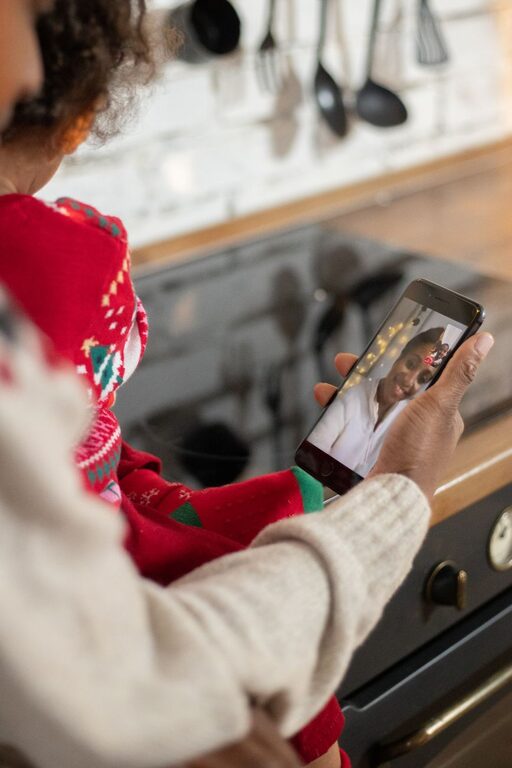
Staying connected with family can be challenging when people live in different cities, follow busy schedules, or have different routines. Fortunately, technology offers simple ways to share updates, make plans, celebrate milestones, and enjoy time together from almost anywhere.
The best tools do not need to be complicated. A messaging app may be enough for quick check-ins, while video calls can make birthdays and weekend conversations feel more personal. Shared calendars, photo albums, and group platforms can also help families stay organized and involved in each other’s lives.
Here are some practical technology tools that can make family communication easier and more enjoyable.
Video Calling for Face-to-Face Conversations
Video calling is one of the most useful ways to stay connected across distance. Seeing a family member’s face can make a conversation feel warmer and more personal than a text message or phone call.
Popular video calling services often work on smartphones, tablets, computers, and smart televisions. Many allow several people to join the same call, making it possible to include relatives from different locations.
Ways to Use Video Calls
Families can use video calls for more than regular conversations. Try using them to:
– Celebrate birthdays and holidays
– Share family announcements
– Help children stay in touch with grandparents
– Read stories together
– Cook the same recipe
– Watch a performance or presentation
– Take a virtual tour of a new home or destination
– Hold a weekly family check-in
For a smoother experience, choose a regular day and time when possible. A consistent schedule makes it easier for everyone to participate.
Group Messaging for Everyday Updates
Group messaging is useful for quick conversations and small updates. A family group can provide one place to share reminders, photos, questions, and news without sending the same message to several people.
For example, a group chat might include parents, adult children, grandparents, and siblings. Members can share plans, coordinate visits, or let everyone know when they arrive safely at a destination.
Tips for Managing a Family Group Chat
A group chat can become busy, especially when many people participate. A few simple habits can help:
– Use clear messages when sharing important information
– Keep unrelated conversations in separate chats
– Avoid sending repeated updates
– Use reactions when a full reply is not needed
– Share photos in small batches
– Be mindful of different schedules and time zones
Some messaging services also support voice messages, short video clips, polls, and shared files. These features can make family communication more convenient without requiring a formal meeting.
Shared Digital Calendars for Family Planning
A shared calendar can help families coordinate events and avoid missed plans. It is especially helpful for households managing school activities, appointments, visits, celebrations, and travel.
Family members can add important dates, such as:
– Birthdays
– School events
– Family gatherings
– Work schedules
– Vacations
– Community activities
– Household responsibilities
Many calendar tools allow users to create separate calendars for different purposes. For example, a family might have one calendar for shared events and another for household tasks.
Color coding can make the calendar easier to understand. One color might represent school events, another could mark travel, and a third could identify celebrations. Families should agree on what each color means so the system remains simple.
Shared Photo Albums for Memories
Digital photo albums make it easy to collect and organize family memories. Instead of keeping pictures on separate devices, relatives can contribute to a shared album that everyone can view.
Shared albums can be created for:
– Family trips
– New babies
– Graduations
– Holidays
– Home projects
– Special celebrations
– Everyday moments
Photo albums also give family members a way to participate even when they cannot attend an event. Someone who misses a gathering can still see pictures, leave comments, and feel included.
To keep albums manageable, create a new album for each event or time period. Add descriptive names and remove duplicate images from time to time.
Shared Notes and To Do Lists
Shared notes and task lists can simplify family organization. These tools allow several people to view and update the same information.
A shared note might include:
– Grocery lists
– Packing lists
– Meal ideas
– Gift suggestions
– Questions for a family meeting
– Home maintenance reminders
– Travel information
A shared task list can be useful when responsibilities are divided among family members. Each person can mark items as complete, reducing the need for repeated messages.
These tools are particularly helpful for family projects. Whether planning a reunion or organizing a move, a central list keeps information in one place.
Family-Friendly Social Platforms
Some families use private online groups to share updates, photos, and announcements. A private group can be useful when relatives are spread across several households and want a central space for family news.
A group may include a discussion area, photo section, event calendar, and file storage. Families can use these features to preserve recipes, record family history, or collect stories from older relatives.
When choosing a platform, look for clear privacy settings and easy account controls. Every family member should understand who can view shared information and how to adjust their settings.
Streaming and Online Activities Together
Technology can also help families spend leisure time together. Online activities make it possible to share an experience even when people are not in the same room.
Families might:
– Watch the same movie or program
– Play a multiplayer game
– Join an online quiz
– Listen to music together
– Follow a virtual class
– Complete a puzzle
– Share a hobby session
The goal is not to use the most advanced tool. It is to create a shared activity that gives everyone something to discuss and enjoy.
For younger family members, simple activities such as drawing, reading, or showing a favorite toy may work better than complicated online games.
Smart Speakers and Voice Messages
Voice technology can make communication easier for people who are less comfortable typing. Smart speakers and voice messaging features allow users to send recordings, make calls, or set reminders with spoken commands.
A short voice message can feel more personal than a written note. It also allows someone to communicate while walking, cooking, or handling another task.
Voice tools may be helpful for older relatives or family members who prefer speaking to typing. Before setting up any device, explain how it works and adjust the controls to match the user’s comfort level.
Choosing the Right Tools
With so many options available, families do not need to adopt every type of technology. Start with the communication needs that matter most.
Ask a few simple questions:
– Do we need quick daily updates?
– Would regular face-to-face conversations help?
– Are we trying to coordinate schedules?
– Do we want one place for photos?
– Are some family members uncomfortable with certain devices?
– Which tools are easiest for everyone to use?
Choose platforms that work across the devices family members already own. A tool is more useful when people can access it without buying new equipment or learning a complicated system.
Creating Healthy Technology Habits
Technology should support family relationships, not replace every personal interaction. Set reasonable expectations about response times, group messages, and online availability.
It can also help to schedule technology-free time during meals, visits, or other shared activities. The purpose of communication tools is to make connection easier, not to create pressure to respond constantly.
Start small with one or two tools, such as a family group chat and a shared calendar. Once everyone is comfortable, consider adding video calls, photo albums, or shared activities. With the right approach, technology can help families stay informed, included, and connected wherever they live.