
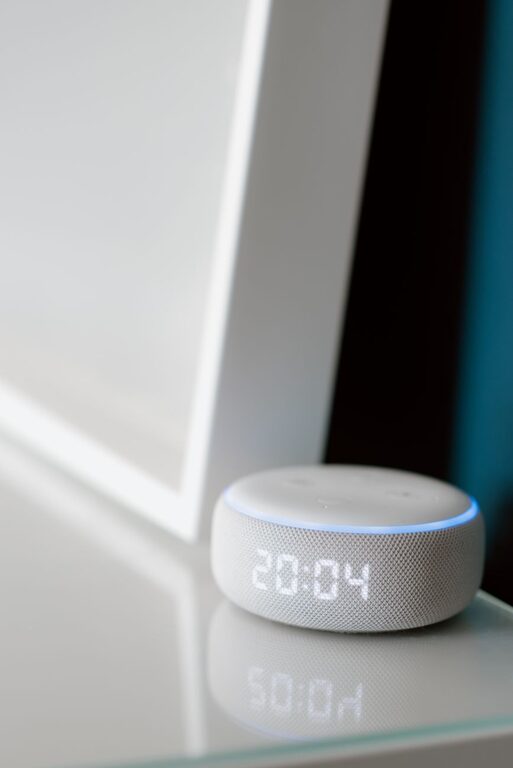
Voice assistants can make everyday household tasks easier, faster, and more convenient. Whether you use a smart speaker, smartphone, tablet, or connected display, voice commands can help you manage routines without stopping what you are doing.
You can ask a voice assistant to set timers, create shopping lists, play music, check the weather, control compatible lights, and much more. The key is to start with a few useful tasks and build habits over time.
Getting Started With a Voice Assistant
Before using a voice assistant, make sure your device is connected to the internet and signed in to the correct account. Most assistants are activated with a wake word, followed by a spoken request.
For example, you might say:
– “Set a timer for 15 minutes.”
– “Add laundry detergent to my shopping list.”
– “What is the weather today?”
– “Remind me to take the recycling out at 7 p.m.”
Speak naturally and use clear, specific instructions. If the assistant does not understand, try saying the request again with fewer words or a different phrase.
Choose a Convenient Location
Place a smart speaker or display in an area where you often need help, such as the kitchen, living room, hallway, or home office. Avoid placing it too close to loud appliances, televisions, or walls that may affect how well it hears you.
If several people use the device, choose a central location that works for everyone. You may also want to adjust the volume so responses are easy to hear without being disruptive.
Managing Timers and Reminders
Timers are among the most useful voice assistant features. They are especially helpful when your hands are busy or when you are moving between rooms.
You can use timers for:
– Cooking and baking
– Laundry cycles
– Cleaning sessions
– Breaks during work
– Watering plants
– Remembering items in the oven or on the stove
You can also set multiple timers with descriptive names. For example, say, “Set a pasta timer for 10 minutes” and “Set a bread timer for 25 minutes.” If your assistant supports named timers, this makes it easier to know which alert is ringing.
Reminders are useful for tasks that need to happen at a particular time or place. You might say, “Remind me at 6 p.m. to put the bins outside,” or “Remind me when I get to the store to buy batteries.”
Creating and Managing Shopping Lists
A voice assistant can help you keep a running shopping list throughout the week. Instead of searching for paper or opening an app, simply add items as you notice they are running low.
Useful commands include:
– “Add coffee to my shopping list.”
– “Add light bulbs to the household list.”
– “What is on my shopping list?”
– “Remove paper towels from my list.”
Some services let you organize lists by store, category, or household member. If your assistant is linked to a shopping or notes app, family members may be able to view and update the list from their own devices.
For best results, use one main list rather than creating several separate lists by accident. Check the list before leaving home and remove items once they have been purchased.
Building Simple Household Routines
Many voice assistants allow you to create routines, which are groups of actions started by one phrase. A routine can reduce the number of individual commands you need to give.
For example, a “Good morning” routine might:
- Tell you the weather.
- Read your calendar.
- Play a short news-free briefing or music playlist.
- Turn on compatible lights.
- Remind you about an upcoming appointment.
A “Good night” routine could:
- Set an alarm.
- Turn off compatible lights.
- Lock connected doors, if supported.
- Set a sleep timer for music.
- Remind you to place items by the door for the next morning.
Keep routines simple at first. Add one action at a time and test each change to make sure the routine behaves as expected.
Controlling Compatible Smart Home Devices
If your home includes compatible smart devices, voice commands can control many basic functions. Depending on the products you own, you may be able to manage lights, plugs, thermostats, speakers, blinds, or appliances.
Examples include:
– “Turn off the living room lights.”
– “Dim the bedroom lights to 40 percent.”
– “Turn on the fan.”
– “Set the hallway lights to a warmer color.”
– “Turn off all downstairs lights.”
Use clear room names when setting up devices. Names such as “Kitchen light” or “Bedroom lamp” are usually easier for an assistant to recognize than vague names like “Device 1.”
For safety, use voice control mainly for low-risk tasks. Follow the manufacturer’s instructions for appliances, heating equipment, and any device that could create a hazard if switched on or off unexpectedly.
Using Voice Assistants While Cooking
Voice assistants are particularly convenient in the kitchen because they allow you to keep your hands clean and focused on food preparation.
You can ask for:
– Unit conversions
– Cooking timers
– Recipe steps
– Ingredient substitutions
– Measurement reminders
– Shopping list updates
– Music or podcasts
Try saying, “How many tablespoons are in a quarter cup?” or “Set a timer for the vegetables.” If your device has a screen, it may also display recipe instructions or show a countdown.
Place the device away from splashes, steam, and hot surfaces. A voice assistant should support your cooking routine, not become a distraction, so avoid using it for complicated tasks while handling sharp tools or hot cookware.
Supporting Cleaning and Chores
Voice assistants can turn large household projects into smaller, easier steps. Set a short timer for each task, create reminders for recurring chores, or play music to make routine work more enjoyable.
You might use commands such as:
– “Set a 20-minute cleaning timer.”
– “Remind me every Saturday to change the bed linens.”
– “Add floor cleaner to my shopping list.”
– “Play an upbeat cleaning playlist.”
For recurring tasks, choose a schedule that fits your household. A reminder is more useful when it matches your routine rather than creating extra interruptions.
Privacy and Device Settings
Before using a voice assistant regularly, review its privacy and account settings. Check how voice recordings are stored, whether activity history can be reviewed or deleted, and which devices or services are connected to the account.
It is also a good idea to:
– Use a strong account password.
– Enable available security features.
– Review connected devices regularly.
– Turn off features you do not use.
– Teach household members when the assistant is listening.
– Avoid sharing private information through voice commands.
If you do not want the device to respond temporarily, use its mute control or change its listening settings. Remember that voice assistants can misunderstand commands, so review important actions before relying on them.
Tips for Better Results
A few simple habits can make voice control more reliable:
– Use short, direct requests.
– Name rooms and devices consistently.
– Pause briefly after saying the wake word.
– Keep the device away from background noise.
– Update the assistant and connected devices.
– Check reminders, timers, and lists for accuracy.
– Teach frequent users the same device names and commands.
Voice assistants work best when they support routines you already have. Start with everyday needs such as timers, lists, and reminders. Once those features become familiar, explore routines and smart home controls that can save additional time.
Used thoughtfully, a voice assistant can act as a helpful household organizer. It can reduce small interruptions, keep important tasks visible, and make daily routines easier to manage.